Ice Maker1.0.0.1
Publisher Description

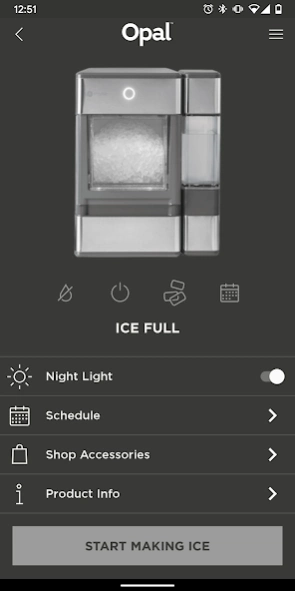
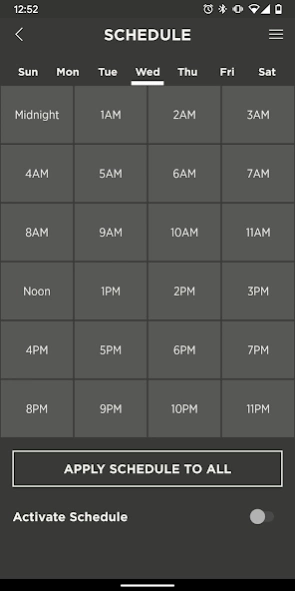
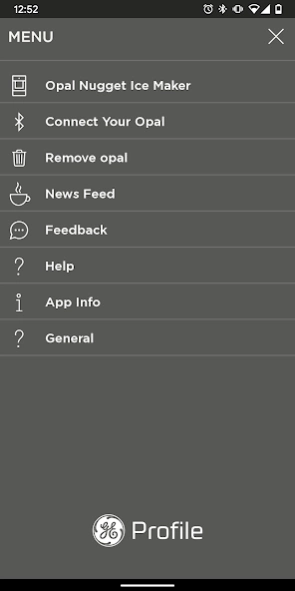
Ice Maker gives you insight and control to your GE Profile™ Opal™.
The GE Profile™ Opal™ Nugget Ice Maker app makes controlling and setting a schedule on your product a breeze, so you always have delicious, crunchable ice!
Below are the features you can control with your Opal app:
· Set your schedule – make sure you always have ice when you need it
· Turn machine on and off remotely
· Check the status of your ice maker including when your ice is full, or you need to add water.
· Turn Opal ice maker light on and off
· Helpful use and care links to get the most from your Opal ice maker
Please note:
· Requires that you have a GE Profile Opal ice maker
· Requires a compatible smartphone with Bluetooth connectivity
Support:
Need help getting your Opal ice maker connected or have questions about your product?
Contact:
Phone: 1.866.907.6718
Email: myopalservice.com
For more information, please visit: https://www.geappliances.com/ge/icemakers/opal-nugget-icemaker.htm
About Ice Maker
The company that develops Ice Maker is GE Appliances. The latest version released by its developer is 1.0.0.1.
To install Ice Maker on your Android device, just click the green Continue To App button above to start the installation process. The app is listed on our website since 2019-11-27 and was downloaded 37 times. We have already checked if the download link is safe, however for your own protection we recommend that you scan the downloaded app with your antivirus. Your antivirus may detect the Ice Maker as malware as malware if the download link to com.ge.opal is broken.
How to install Ice Maker on your Android device:
- Click on the Continue To App button on our website. This will redirect you to Google Play.
- Once the Ice Maker is shown in the Google Play listing of your Android device, you can start its download and installation. Tap on the Install button located below the search bar and to the right of the app icon.
- A pop-up window with the permissions required by Ice Maker will be shown. Click on Accept to continue the process.
- Ice Maker will be downloaded onto your device, displaying a progress. Once the download completes, the installation will start and you'll get a notification after the installation is finished.
Program Details
System requirements
Download information
Pricing
Version History
version 1.0.0.1
posted on 2019-11-27
The GE Profile™ Opal™ Nugget Ice Maker app makes controlling and setting a schedule on your product a breeze, so you always have delicious, crunchable ice!
version 1.0.0.1
posted on 2019-11-27
The GE Profile™ Opal™ Nugget Ice Maker app makes controlling and setting a schedule on your product a breeze, so you always have delicious, crunchable ice!
version 1.0.0.1
posted on 2019-11-27
The GE Profile(TM) Opal(TM) Nugget Ice Maker app makes controlling and setting a schedule on your product a breeze, so you always have delicious, crunchable ice!
